Project folder request
Currently, the Research Data Service is working on a more user-friendly registration platform with a wider variety of features. This page will be updated as soon as a new registration platform is in place.
A folder for a new project can be requested by trusted users. These are for the most part working group leaders at the ZMT. Please contact your working group leader to request a folder for your project. If you don’t know whom to contact for your request, write an e-mail to research-data@leibniz-zmt.de.
As a trusted user, you can request a folder for your own project or someone else’s. These are the steps:
Go to registration.zmt-datalab.de and sign in with your e-mail adress or ZMT username as username and your ZMT password.
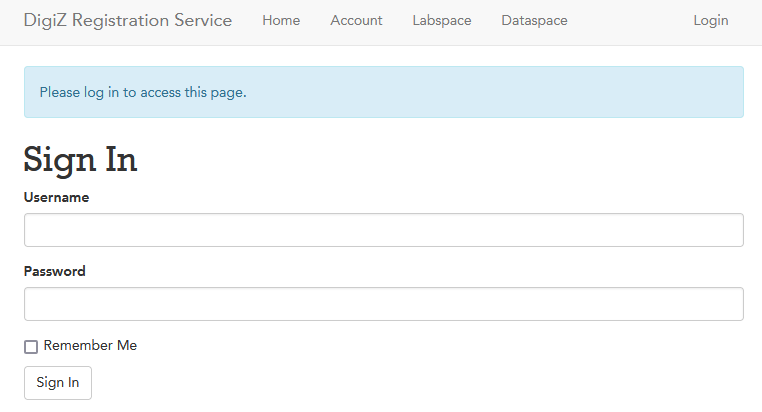
Sign in to Research Data Service’s registration platform.
The front page will display all your previous requests for accounts, for labspaces in the DataLab and for folders (Dataspaces) in the DataCloud.
In the upper toolbar, proceed to “Dataspace”.
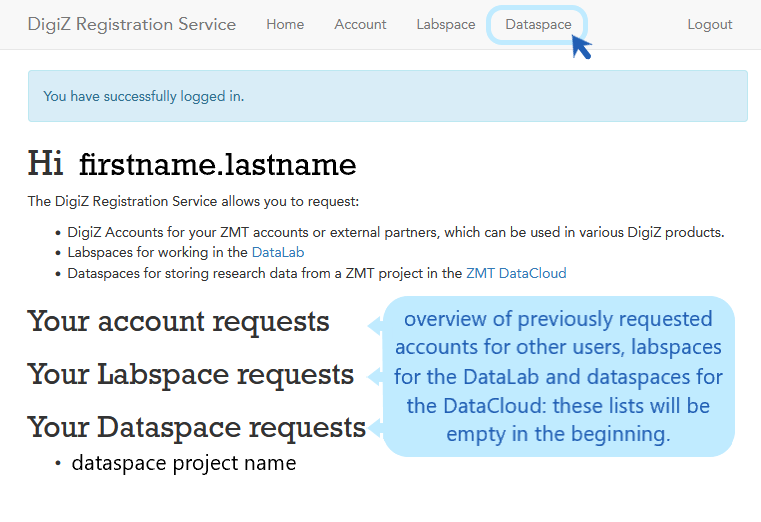
Go to Dataspace to request a new project folder.
The form “Requesting a new ZMT DataSpace” will appear.
Please fill in all the fields in the form and submit it (if you have any questions or don’t know all details for the form yet, please contact us via research-data@leibniz-zmt.de and we will help you).
If you don’t have the information for Kostenstelle/Kostenträger at the moment of registration, please fill in “1” in these fields.
Be aware that we offer a standard storage space of 500GB, and if necessary up to 5 TB for free. If you expect your project to exceed this amount of storage space, please include cost for storage space in your project funding.
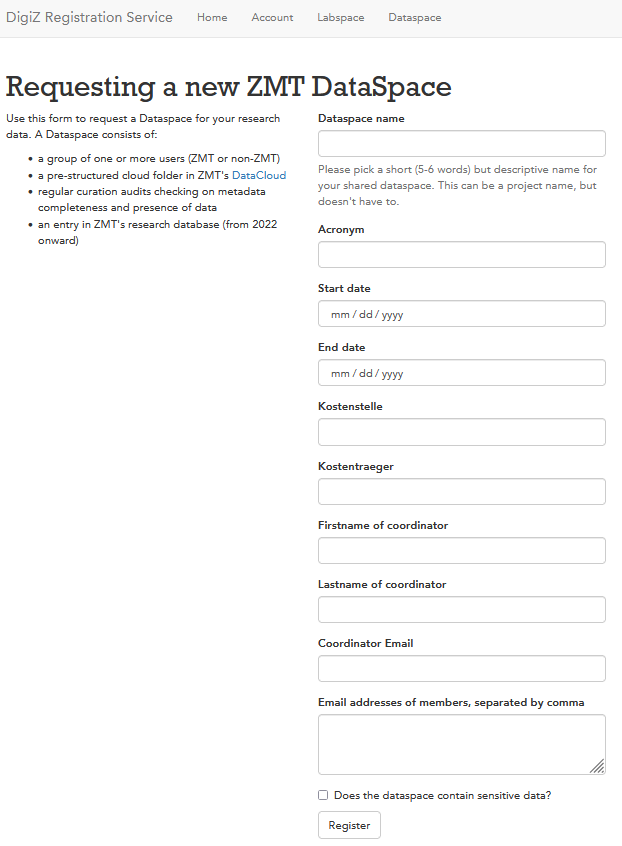
Request a new project folder (dataspace).
After submitting your request, the Research Data Service working group will process it and set up a folder in the ZMT DataCloud for your project.
You and everyone mentioned in the e-mail field will get an e-mail with access information, usually in a couple of days.
Then you, or your students/scientific partners are ready to get started working in the ZMT DataCloud within the project folder.
Check out the the project folder structure to see how the provided folder is organized.